HOW TO POSTS: LIGHTING AND COMPOSITION
10 Tips to Get Great Cell Phone Photographs
Smart Phone Camera Tips
WRITTEN BY: BRUCE LOVELACE
UPDATED: JANUARY 4, 2024
The cameras that come in today's smart phones are remarkably sophisticated with technology. The days of grainy, low-resolution cellular phone photos are over. The smart phone cameras are powerful, but you still have to do more than just the point and shoot to get stunning photos.
It should be no shock that after learning a few basic cellular phone camera tips, you will be able to improve all of your photography. Yes, even by using a simple camera phone. Here are 10 tips to unlock your phone's photographic potential and elevate your average snapshots to artistic images worth sharing.
1. get in close with your cell phone
The biggest limitation of cellular phone cameras was always with the lens. Although we are on the brink of designing tiny zoom lenses for cellular phones, current camera phones don't allow you to zoom in with a single lens.
You can crop in tighter later when you do your photo editing, but you'll get better pictures by isolating your subject. Either move in close to your subject when you are taking your photographs, or use the telephoto lens that's built into your phone. Try to fill your frame with your subject. This will eliminate distracting backgrounds.
Pinch-zooming reduces the image quality of your photos. Smart phone cameras are coming out with larger pixel counts and bigger sensors. That means better photos if you use the right techniques.
2. look for good lighting
This is a skill that ALL photographers need to develop. Learn to notice where the light is coming from and how it is affecting how your subject appears. There are a lot of helpful articles on lighting on this website that you can benefit from reading.
The biggest challenge for camera phones is not having enough light. The pixels on the sensors are tiny and don't respond to light as well as regular cameras with their larger sensors. Quality suffers even more so than with large DSLR sensors under low lighting conditions.
Most cell phones don't come with a very powerful flash for lighting. When it's dark your camera phone has to use a slow shutter speed for a proper exposure and that can lead to blurry or un-sharp photos.
 Image fills the entire composition
Look to see where the existing light is coming from.
I took this camera phone picture with my old cheapo Motorola cell phone during a morning jog underneath a highway underpass.
There was a nice large, soft light source from the sky and brought out the colors in the graffiti as well as the textures of the concrete wall.
Most of the light was coming from the open sky to the left. If you are indoors, you can move your subject closer to a window or at least have them face toward the window. If it's possible turn a light on in the room.
Cellular phone cameras do a bad job with photo exposure if the main light source is behind your subject. A good photo tip is to have the light coming behind you, the photographer. There are more photo lighting tips if you scroll down in the article called take better digital pictures.
3. hold your mobile phone camera steady
This will help prevent blurry photos. There is no viewfinder to look through, so you can't hold a cell phone camera against your face to keep it steady Find something sturdy to lean your hands or elbows against.
If that's not practical, take a relaxing breathe in. Exhale halfway and squeeze your shutter button gently. Then wait until after you here the "click" of the camera to begin moving your hands again. This is one of those cellular phone camera tips that applies to all cameras.
Keeping your digital photos sharp is very important if you want to do any photo printing. When you are viewing your photos on your computer you have a resolution of only 72 or 96 dots per inch.
Photo printing is done at a much higher resolution, usually 250 dpi (dots per inch); so you see a lot more details. You may be satisfied with lower quality photos if they are for your online photo album, your LinkedIn photo, or Facebook profile.
4. time your phone photo right
There is this annoying thing we call shutter lag. Shutter Lag is the delay from when you push the shutter button to when the photo is actually taken. More expensive point and shoot cameras, DSLR and mirrorless cameras have almost no shutter delay.
With smart phone cameras the exposure is made after a short, but irritating delay after you push the button. So, the tip is to anticipate your photographic moment and squeeze the camera shutter button early. Avoid this common photo mistake and you'll be more pleased with your photographs in the end.
5, Use Composition Techniques
There are many universal composition rules that you can use to improve your photos with any camera. Learn the rule of thirds, leading lines, negative space, framing, and how to use balance. Use basic composition techniques to guide the viewer's eye and follow a story through your photo. Take a look at these posts: 20 Tips, Composition, rule of thirds, framing and then return back here.
6. start with the right cellular phone camera
This tip is just about obsolete at this point. We upgrade our phones so frequently that we are getting advanced technology each time we do.
If you have a really old phone or a cheap cell phone camera with a crappy sensor you can use all these tips and still be very disappointed with your digital photos. It definitely helps if you have the best cell phone camera with a decent sensor.
7. use decent software to edit your cell phone photographs
Although the software built into your camera phone is good, it's not as good as the software on your computer or available on the internet such as Gimp or Picasa.
Do your photo editing later when you have a few moments of quiet time. Although as cellular phones become more sophisticated, many users are finding the use of apps (software applications) on their cellular phones very easy and very helpful.
There are thousands and thousands of apps, many of them are really cool and many of the apps for your cellular phone cameras are free for download.
Another option to do your photo editing are the hundreds of more sophisticated photo editing programs that you can tinker with on your computer. Develop a child like curiosity in finding ways to improve and expand your creativity.
8. Cellular Phone Accessories
Consider Cell Phone Camera Accessories. One of the more interesting ideas to try is to add a Cell Phone Camera Lens.
Take advantage of all of the camera tips on this website and always make sure you have fun with your digital camera, whether it's a cellular phone camera, a point and shoot her a digital SLR camera.
Many of these cellular phone camera tips can be used when you are using a more expensive digital camera too. It's just that you need to be aware of the limitations of a cellular phone camera. Happy Shooting!
9. Shoot Portrait and Landscape
One of the biggest mistakes you can make when using your cell phone to take pictures is forgetting to try both vertical and horizontal photos of your subject. Cell phone cameras produce narrow photos and it makes a big difference in your composition when you switch between portrait and landscape orientations.
10. Perspective
This tip is likely my personal favorite and one I learned in photography school. Shoot variety. We were taught to shoot at least three different perspectives of every subject we photographed. Change your perspective by changing the angles, the height, the distance, and the proximity between you and your subject. This idea has probably been the most beneficial for me with my cell phone photography as well as my regular DLSR and mirrorless camera photography too.
I hope you found this post helpful. For related topics, see the links below my signature.


ABOUT BRUCE LOVELACE
Bruce is the publisher of this website. He is the author of the book "Improve Your Photography Instantly." Read more on Bruce on his Bio Page. He's been known as The Traveling Photographer ever since 1994. Read more about this website.
View some of Bruce's photos on Instagram. Visit the Facebook Page. Watch him on YouTube. Bruce runs photo workshops for kids and adults, and provides one-on-one photography coaching.
Digital Photography Education Location on Google My Business
You might like these
Want the Best Cell Phone Camera? Don't Get Tricked!
What company makes the best cell phone camera? How do you choose which one to buy?
Is a Cell Phone Camera Lens Any Good? Smart Phone Lens Choices
Considering a cell phone camera lens? Here's what you need to know about lenses for camera phones
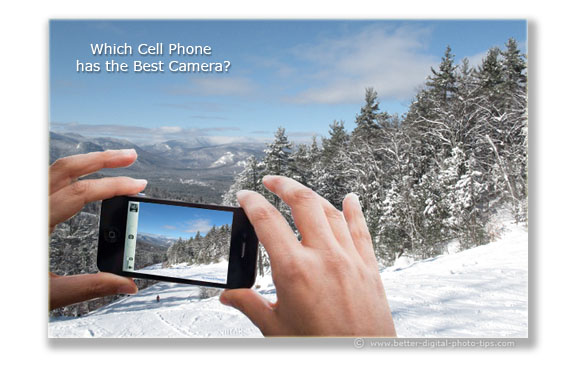

Take Better Digital Pictures By Improving on 3 Elements of Photography
10 Photography Composition, Lighting and Exposure Tips. Use these photography tips to Take Better Digital Pictures.
Basic Photography Information For Beginners + Enthusiasts.10 Best Tips
Use this article and website to get all of basic photography information you need to improve your photography right away.
Macro Photography for Beginners - How to Make Macro Photography Easy
It's a lot of fun to try it so heare are the simple tips for macro photography for beginners



Recent Articles


-
5 Basic Photo Editing Tips For Beginners. Make Your Photos 10X Better
Mar 28, 24 12:22 PM
 Easy ways to improve your pictures. These Top 5 photo editing tips for beginners are the ones to do first to turn your average photos into winning photos
 -
How Professional Photographers Do Digital Photo Editing-For Beginners
Mar 28, 24 11:47 AM
 Unlock Pro Secrets: A Look Inside a Professional Photographer's Digital Editing Workflow This is how the pro photographers do their digital photo editing.
 -
Definition of Aperture. Why You Need To Know How it Affects Your Photo
Mar 28, 24 11:13 AM
 It affects sharpness and what's in focus. The definition of aperture that digital photographers should be aware of and how it affects your photographs
Improve your photography instantly. Get the 2 most important chapters of my photography book for free.

