HOW TO POSTS: LIGHTING AND COMPOSITION
posing families of 3, 4, 5, and more
Guide for BEGINNER portrait photographers
Posing families just right can be challenging when you're starting out. You want people to look their best, but you're not sure what to do with different sized family posing. This guide will help.
Posing depends on the number and sizes of the various subjects in the pose as well as the environment in which you're shooting. You can copy these various poses (not the photos) and use them for your own photography.
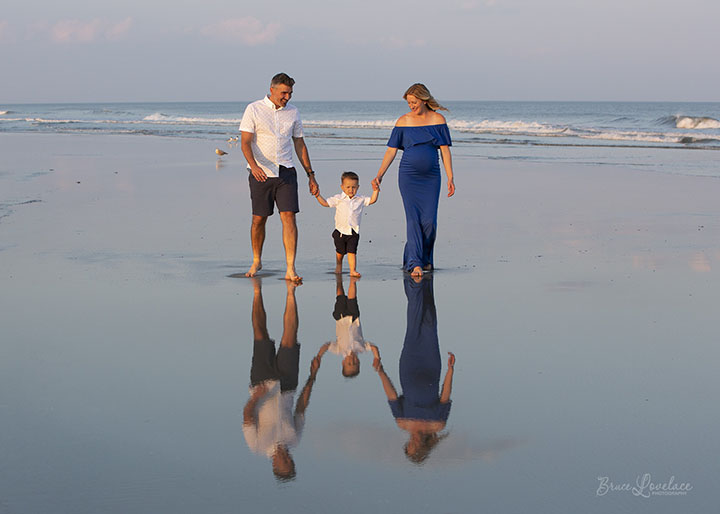
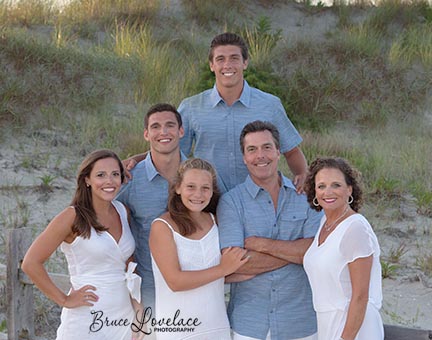
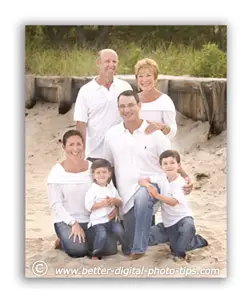
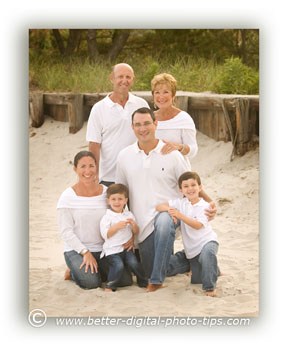
The beach pose works great for families with young children. Shooting right at sunset will give you enough light (along with a high ISO setting) to shoot at a fast shutter speed to make sure this story-telling pose comes out sharp without any blur from motion.
Posing families is a skill that can take many years to master, but a few simple techniques can make a big difference in the quality of your family portrait poses.
This guide will get you off to a great start with your family posing.
In this pose of 3 people I directed the mom and dad to lean in to show the affection that this young family has for each other.
Forming a triangle shape with their heads is a great way to pose 3 people.
posing young families of 3
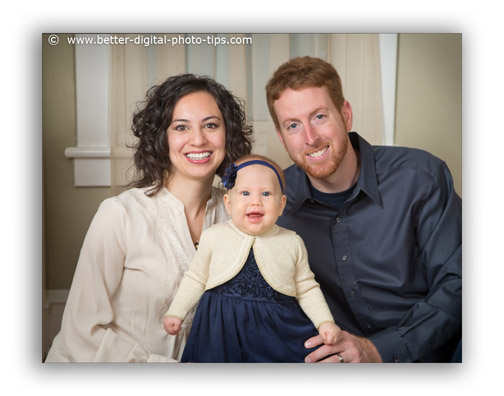 Simple pose for 2 adults and a baby
4 GENERATION pose - 3 adults and 1 child
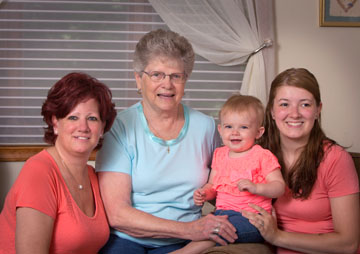 Pose for a 4-generation family
This 4 generation portrait need a pose that would handle 3 adults and one small child.
You can adjust the seating so that the level of their heads goes down, up, down, up, as your eye travels from left to right.
TIP: Angle each individual toward the center of the photo.
how to pose a family of 5
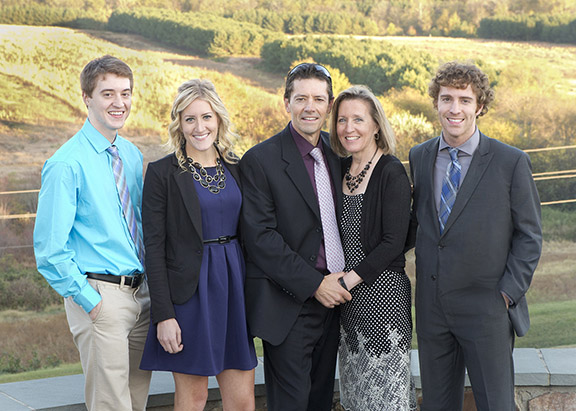
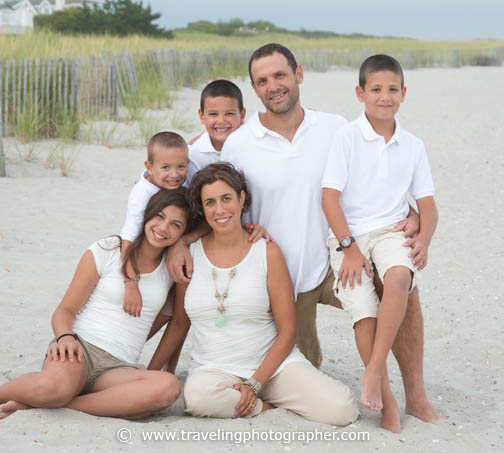
Posing families of 5 people where there are 2 adults and 3 young children can be done in several ways.
Once again, posing the family so that their heads are nice and close gives you a real nice intimate pose for a family.
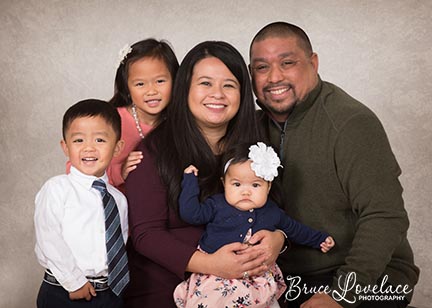 Pose for 2 adults and 4 young children
family pose for 6 people
 Pyramid Pose
Posing for a family of 6
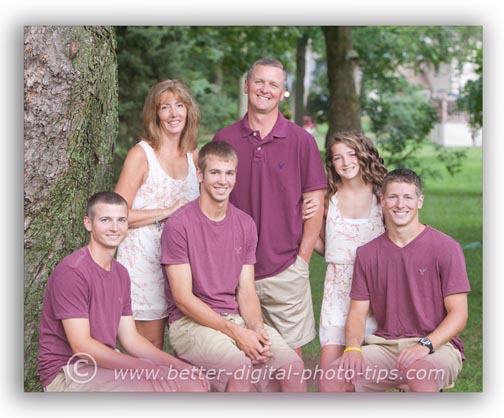
When you have 6 people in the family, you can always make a pyramid pose.
Looking at head heights, place 3 people in the bottom row, two people in the middle row, and have one person in the third row.
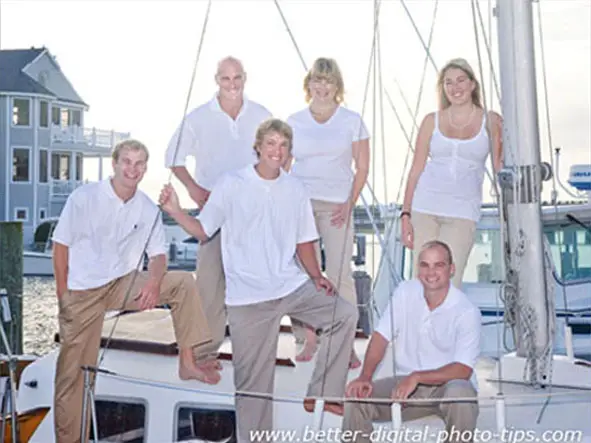
Alternatively, for an even number of people-see the pose of 4 people above-you can use the up, down, up, down pose.
posing families of 9 people
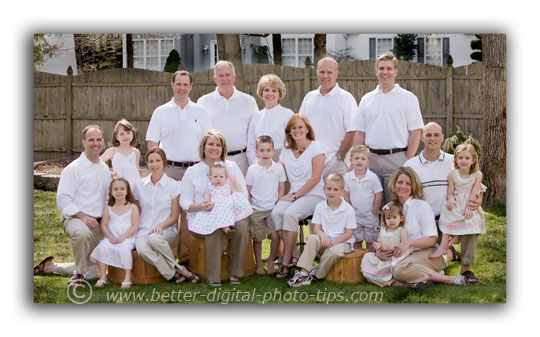
Outdoor family portraits, like the one below can present special challenges in terms of lighting and finding a location. The more you practice, the more experience you get in similar situations.
Similar to how you would pose a sports team with 9 players, arrange the shot with 4 people in the back row and 5 people in the front row.
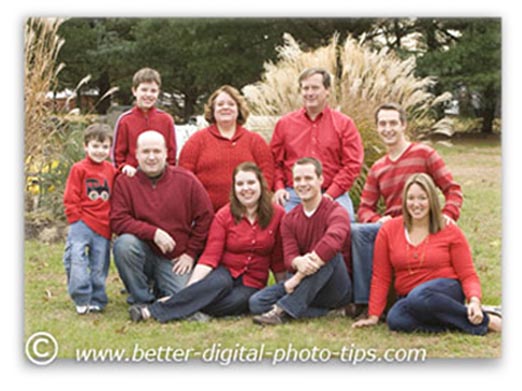 Pose for a family of 9
In this family portrait pose above, my client wanted to have the photograph be appropriate to enjoy all year long as well as a bit festive for the upcoming Christmas holiday.
She chose red shirts and jeans as a good choice for the portrait clothing. I chose this location in her back yard because of the tall ornamental grasses and more distant evergreen trees as a good background for this family portrait.
I designed the pose to be low to the ground so the grass would show as the background. The ground was a little damp, so my subjects that were down on the ground were sitting on plastic bags, that were tucked underneath and out of site.
It was a cloudy day so the photo lighting was a little too flat from overhead, so I added some fill light by placing a very large white reflector in front of my subjects, just below the camera's view.
How To Pose 7 People
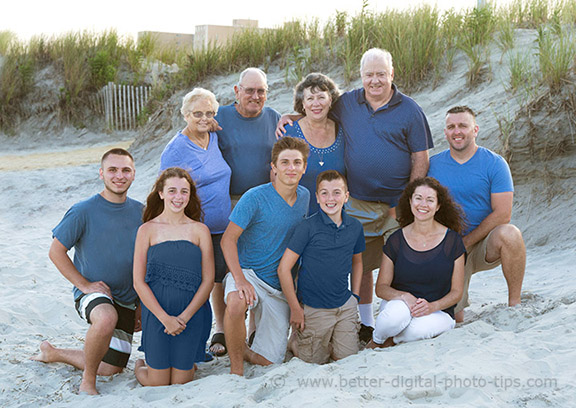
The more people that are in the pose, then the more possibilities of how you can pose the people included. One simple way to arrange your subjects is to have 4 people standing behind 3 people sitting and kneeling.
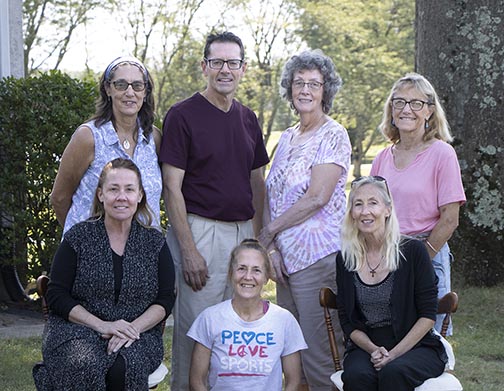
In the pose above I arranged the 4 standing adults so that their height formed a gentle arch upwards. Then I positioned the 3 in the front to from an arch downward. Essentially, all together they form an oval shape. This gives the eye a convenient way to travel around the composition.
Large family posing indoors
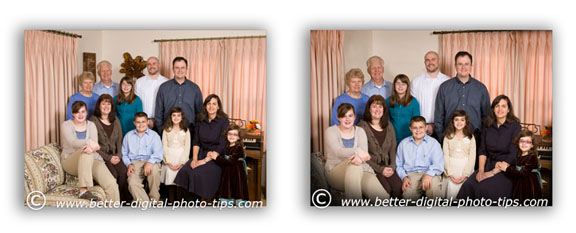 A few adjustments make any pose better
I really enjoy posing families outdoors when I can, but it was too windy on the day this family got together for their family portrait.
In this pose I kept the individual families grouped together within the entire group photograph. Sometimes it is difficult to remove artwork or other objects that are mounted on the wall, so it is desirable to retouch the photos after the photography session is done.
Look at the two side by side photos carefully. Can you tell what three photo retouching techniques I used to improve this family portrait?
- I removed the two wooden wall hangings by using the "clone" tool in Adobe Photoshop.
- I cropped in closer to have my subjects take up more of the photograph and eliminated a few distracting elements form the edges of the image.
- I darkened the bottom and surrounding edges to center our focus more on our subjects and less on the home environment of the family portrait pose.
Sometimes when doing group photography, you have to adjust the pose because of clothing choices made by your subjects. If the color of one of your subject's clothing stands out a bit, it preferable to place them somewhere near the middle of your portrait.
I hope this post inspired you with some ideas for family posing. See the links below my signature for related articles or use the search box below to find any photography topic on this website.
Search for a new topic on this site:


ABOUT BRUCE LOVELACE
Bruce is the publisher of this website. He is the author of the book "Improve Your Photography Instantly." Read more on Bruce on his Bio Page. He's been known as The Traveling Photographer ever since 1994. Read more about this website.
View some of Bruce's photos on Instagram. Visit the Facebook Page. Watch him on YouTube. Bruce runs photo workshops for kids and adults, and provides one-on-one photography coaching.
Digital Photography Education Location on Google My Business
You might like these
Use These 3 Outdoor Portrait Photography Lighting Tips For Portraits
Get great outdoor portrait photography lighting using these simple lighting revealed by a pro photographer. Examples of outdoor portrait lighting.
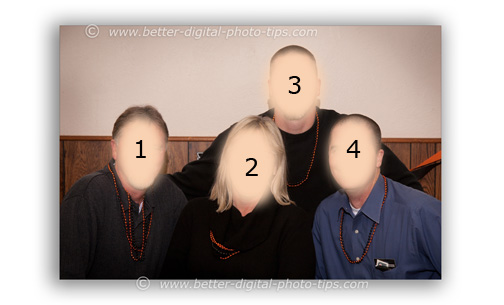
4 Photography Poses for 4 People - How To Pose Groups of 4 People
Secrets to posing groups of 4 people. Copy and use these photography poses for 4 people to improve your group portrait techniques.
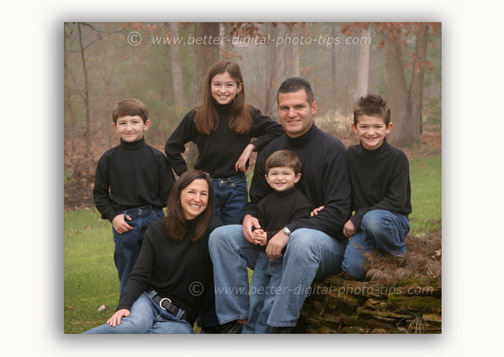
6 Helpful Photography Poses for 6 People You Can Copy For Your Own
Families and group posing techniques and tips. Sample photography poses for 6 people that you can use to get great group portraits
12 Portrait Photography Tips that Will Instantly Improve People Photos
The dirty dozen: 12 portrait photography tips revealed by professional portrait photographer, and many links to related digital photography topics.
Best Portrait Tripod That Won't Empty Out Your Bank Account
Features and specs on the best portrait tripod. With so many to choose from here's what you need to know about choosing the top tripod for shooting portraits


Recent Articles


-
Is it safe to buy a camera online-The Simple Three Step Way To Be Sure
Apr 26, 24 07:54 AM
 Picture Perfect Purchase: Tips for Buying a Camera Online with Confidence. Make it safe to buy a camera online?
 -
What is Auto ISO? Tips On When to use it and When Not to Use Auto ISO
Apr 24, 24 05:44 AM
 Auto ISO Simple Guide. Questions and answers on when to use AUTO ISO and when not to use it. How you can use it to improve your photography.
 -
Best Photo Backup System - Never Lose a Photo Again, Ultimate Guide
Apr 21, 24 01:45 PM
 You're at risk to lose your precious digital photos. What's the best photo backup system? Read on my firend
 -
What is Bokeh. Why It's So Important And How To Get The Best Bokeh
Apr 19, 24 02:12 PM
 With multiple meanings and false definitions. Find out what is bokeh in photography. It's a simple way to improve your photos by controlling the out of focus areas of your subject. How to get the best…
 -
7 Reasons Your Camera Won't Focus And The Simple Ways to Fix It!
Apr 19, 24 01:41 PM
 That's annoying! You missed another important photo because your darn camera won't focus. 5 simple tips to fix or avoid missing that great shot.
 -
How to Take a Self Portrait With a DSLR or Mirrorless Camera
Mar 30, 24 02:27 PM
 Selfie Superstar: Master the Art of the Self-Portrait. Simple steps on how to take a self portrait with a real camera, not just a smart phone selfie.
Improve your photography instantly. Get the 2 most important chapters of my photography book for free.


